aimdev
AIM Karaoke
Karaoke and music for the whole night, from your own laptop. Guests pick songs on their phones.
AIM Karaoke turns a laptop and a TV into the whole night: karaoke when people want to sing, music when they want to dance, one button between the two. Guests scan a code and pick from their own phones, with nothing to install. It plays your own files on your own Wi-Fi, with or without internet.
For the host computer: Windows 10 and 11, or macOS on Apple silicon or Intel. Guests only need a phone browser. You bring your own karaoke files and music.
Karaoke
Guests pick, the screen shows the words, everyone gets a turn.
Music
Your own tracks, mixed one into the next, with requests from the floor.
Quiz
Questions on the screen, answers from the phones, scores for the room.
For the guests
Scan. Search. Sing.
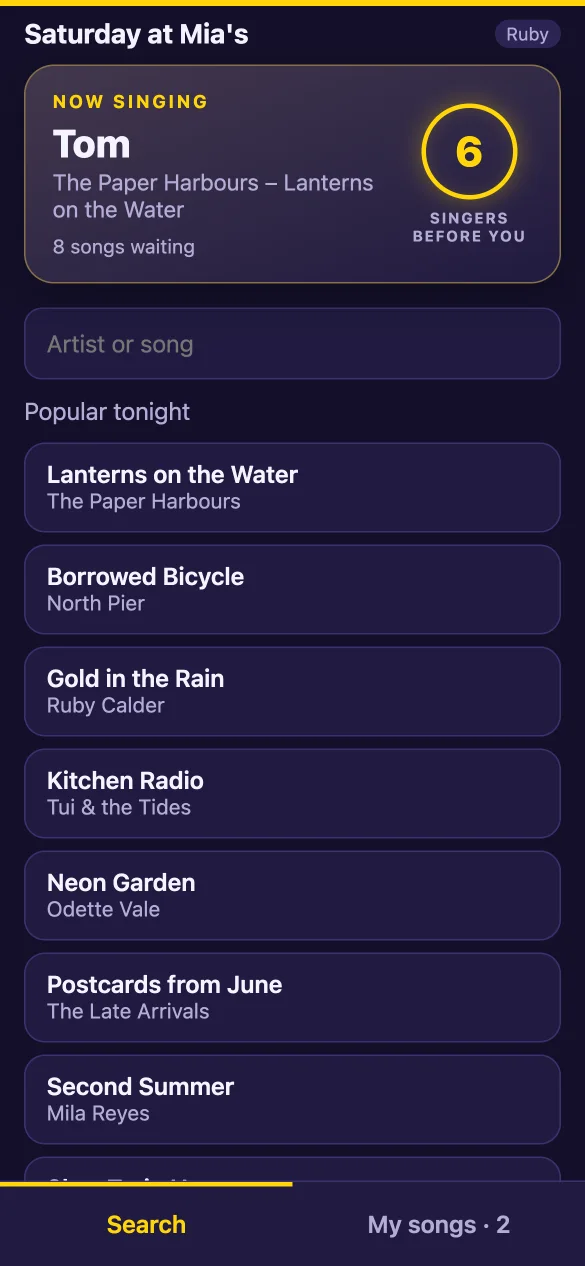
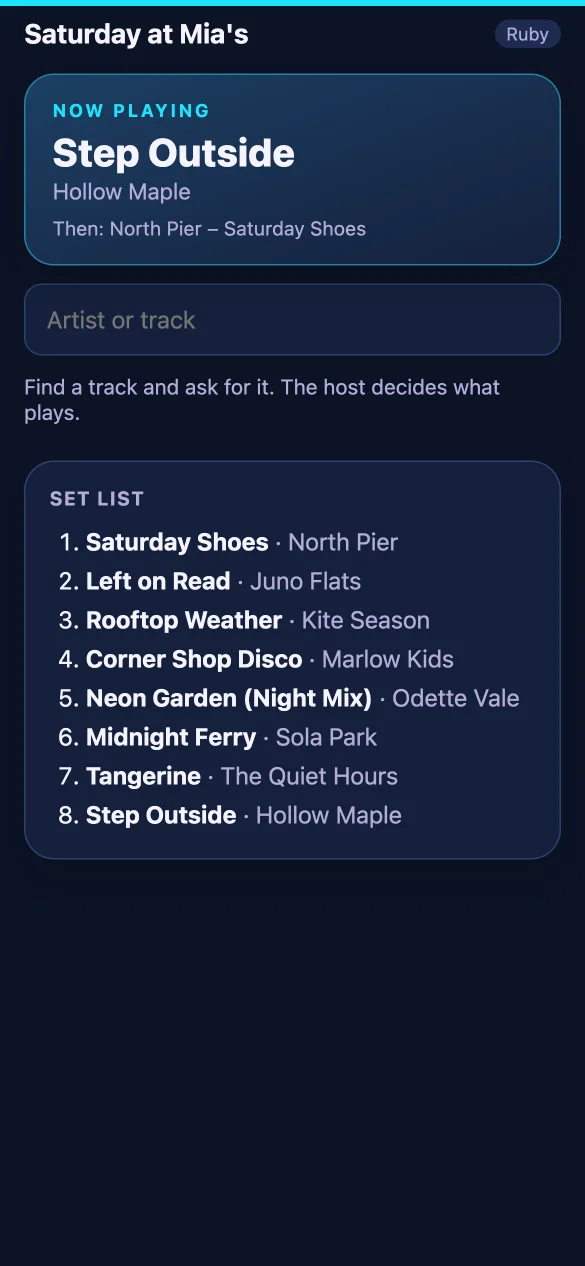
Guests scan the code on the screen and pick songs on their own phones. Nothing to install, no account, no queue at the DJ booth.
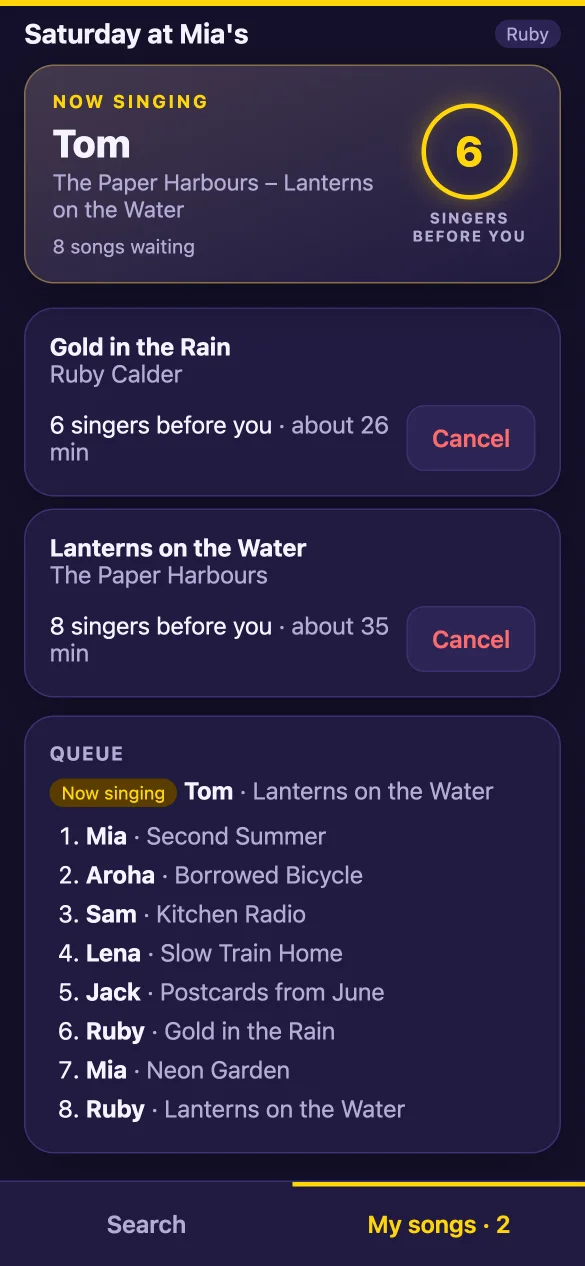
- They always see how many singers are before them, and about how long the wait is.
- A fair queue: nobody sings three in a row while others wait.
- On your Wi-Fi, or over mobile data when the computer has internet.
Karaoke
Words the whole room can read
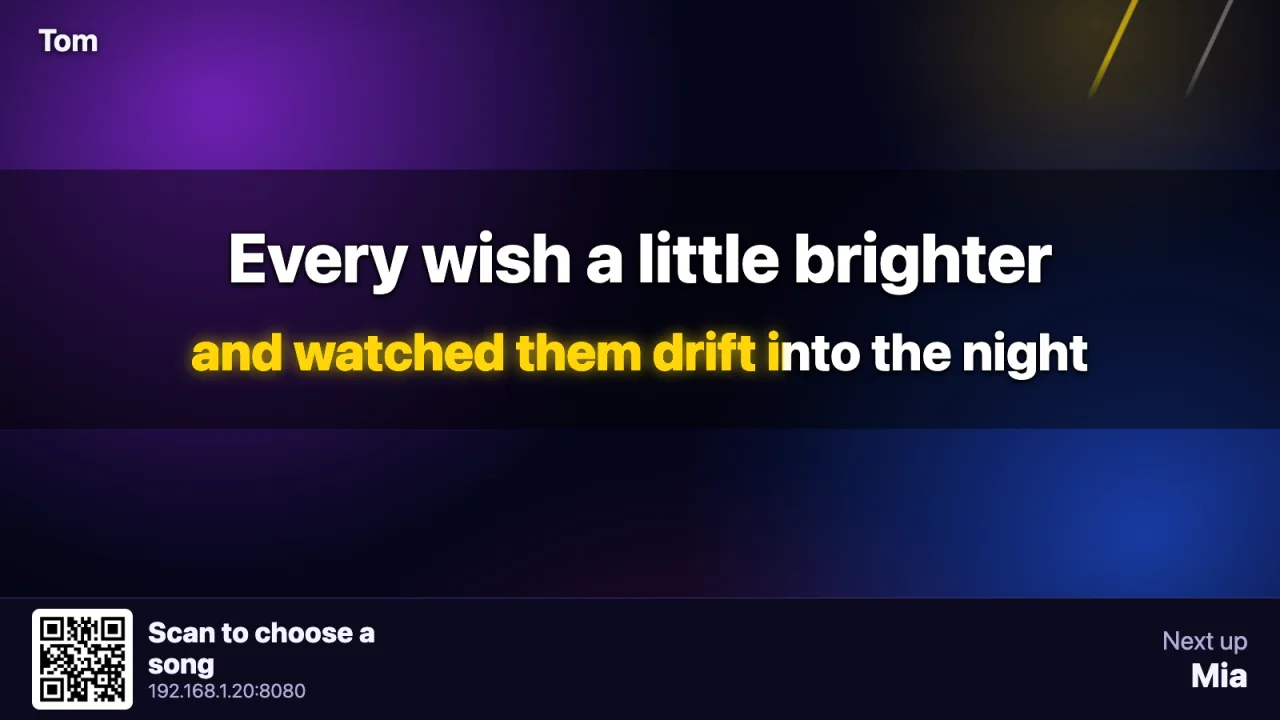
Point the app at your karaoke folder and open the screen on the TV. It plays KaraFun (.kfn) files with live highlighted words, and MP4 karaoke videos, straight from where you keep them.
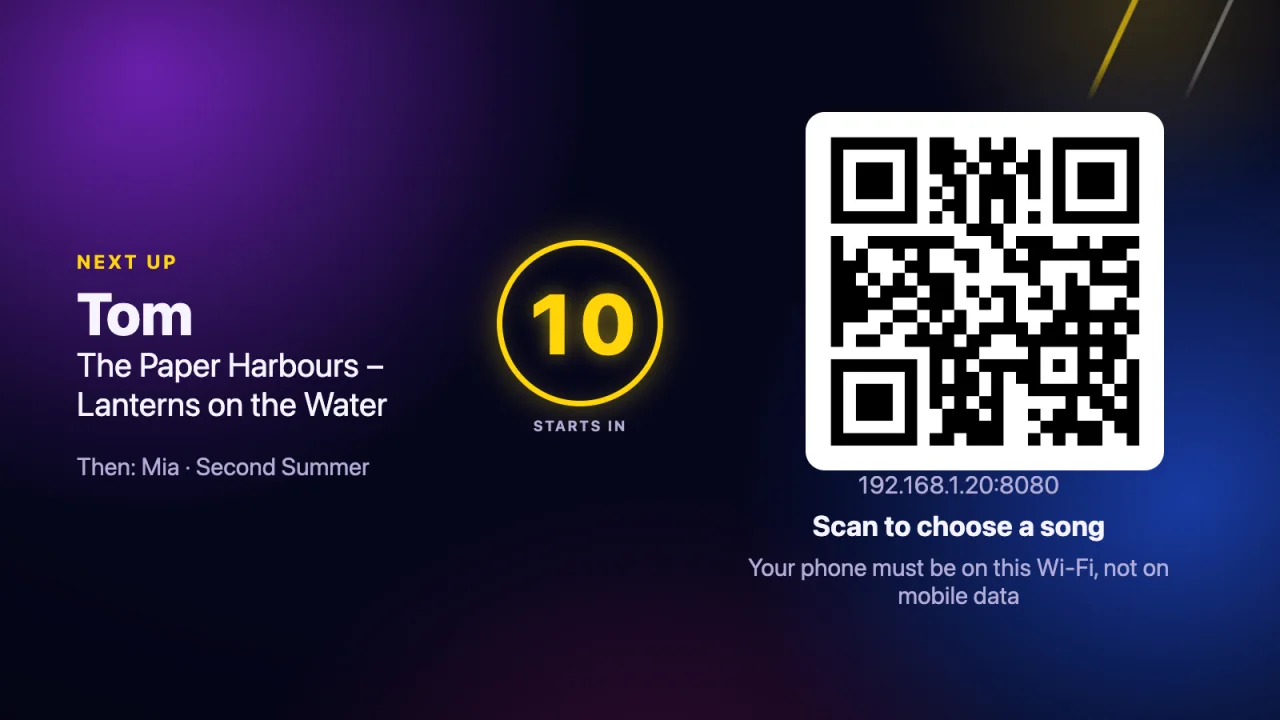
- A "next up" card between singers, so nobody misses their turn.
- The code stays on the screen: new guests join at any time.
- Key, tempo and a fun score, when you want them.
Music mode
One button, and the karaoke night is a dance floor
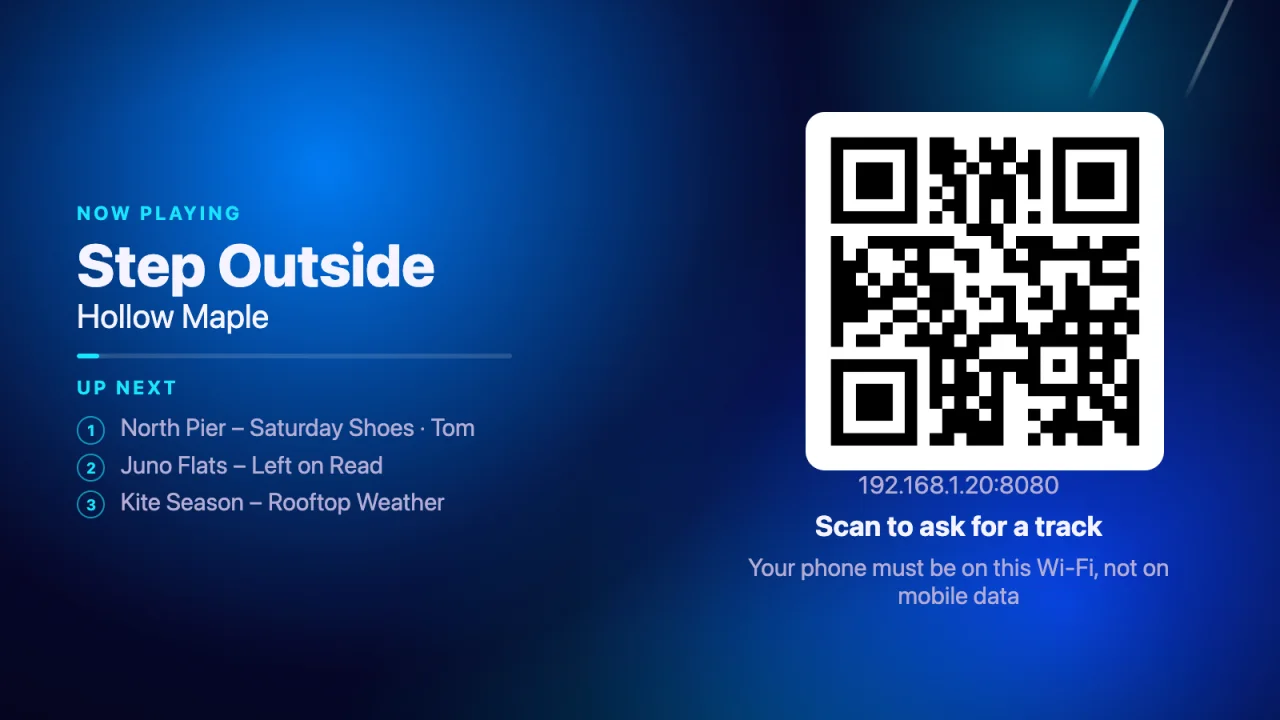
When the room wants to dance, press Music. The app plays the tracks in your own music folder and mixes one into the next. Press Karaoke, and the queue carries on where it stopped.
- Guests ask for tracks from their phones; you say yes or no.
- The set list keeps itself filled, in order or shuffled, and you can mix to the next track now.
- Quiet music between singers, too, so the room never goes silent.
For the host
Run the night from the laptop, or from the dance floor
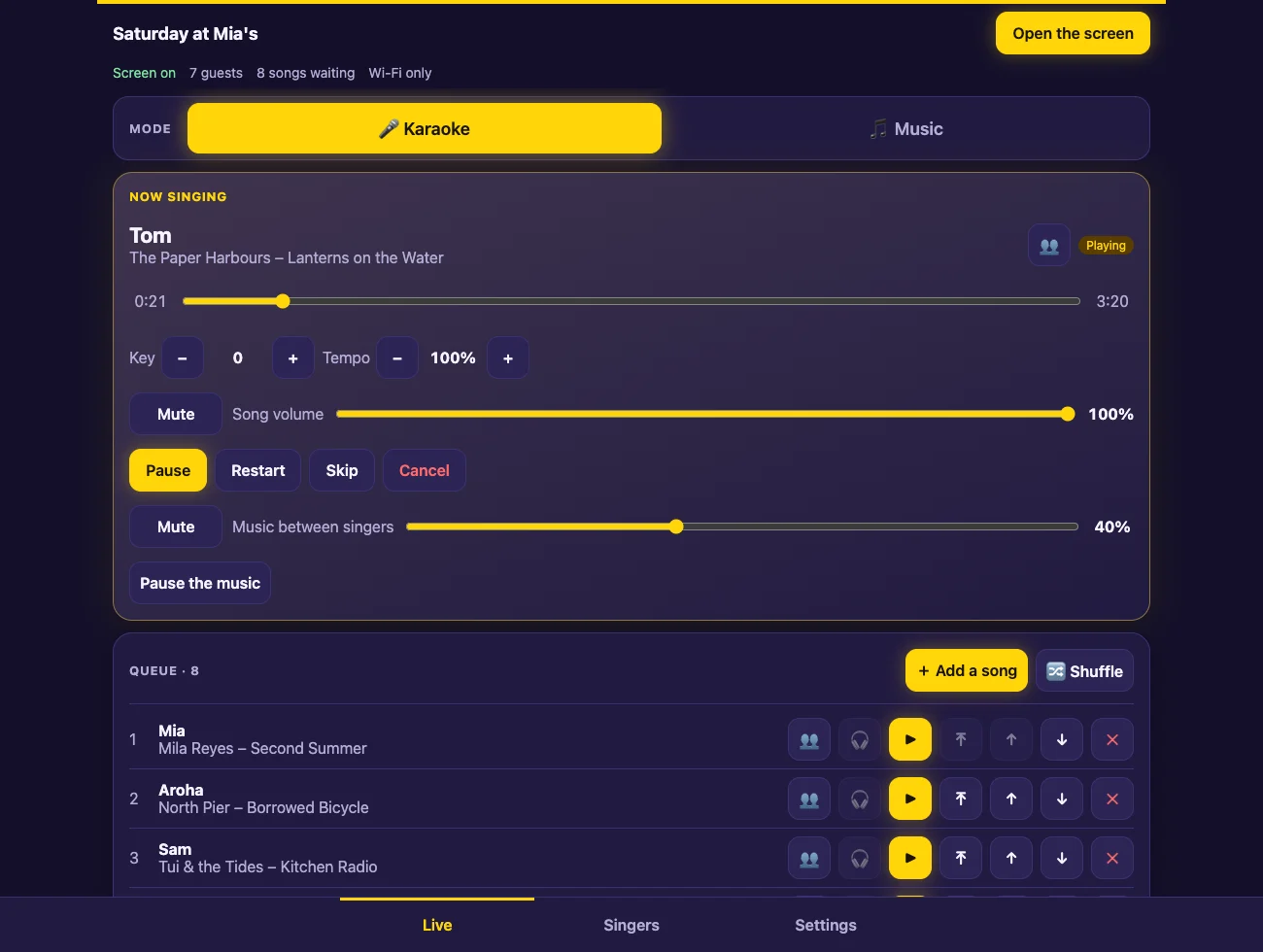
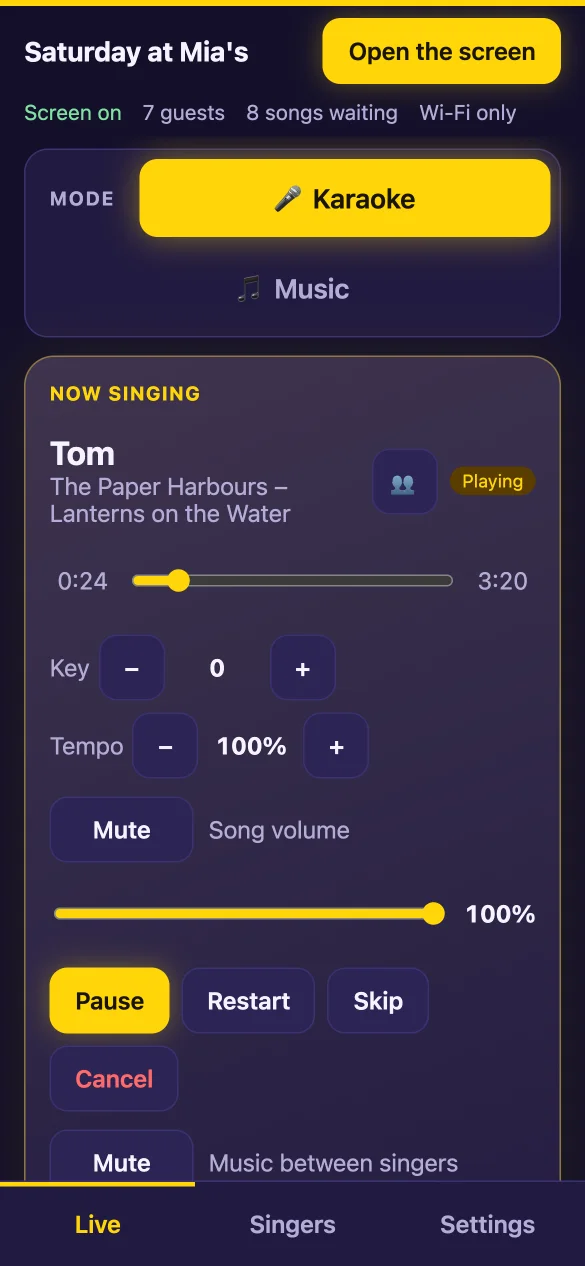
The host panel is the app on the computer. Open the same panel on your phone with a PIN and you are free to walk the room.
- Drag to reorder, start any song now, pause, skip, jump to any point.
- Approve what guests ask for, with one tap.
- Listen in your headphones before the room hears it.
And everything else
Built for a real night, not a demo
Duets and groups
Invite a friend, or leave it open for anyone to join.
Key and tempo
Change either while the song plays.
A score for fun
The screen listens to the microphones and names the night's best.
Cue in headphones
Hear a song before the room does, on a second output.
Finds it in a blink
27,000 songs answer in milliseconds, in Cyrillic or Latin, typos included.
Wi-Fi or mobile data
Guests join either way; a code on the screen can put a phone on your Wi-Fi.
Your look
Your background, your logo, lights that move with the music.
No TV? No problem
The words can go to the phone of whoever is singing.
Hold a singer
Someone stepped out? Their songs wait for them.
Songs you do not have
If you allow it, guests can ask for one from YouTube, through YouTube's own player. You approve each one.
The night in numbers
Songs sung, singers, what was skipped, and the whole list to keep.
Nothing lost
The queue survives a restart, and the screen keeps playing.
Your sound
You bring the songs. We never do.
The app comes with no songs and no music, and we do not supply, sell or share any. It plays what you own, from your own disk, and never copies or changes a file. It runs on your Wi-Fi with no internet; with internet, only the song list and the queue pass through our server so phones on mobile data can join. Your music never does.
Coming next
Quiz mode
A third mode for the same night: questions on the big screen, answers from the guests' phones, the scores up for the whole room. It is being built now and will arrive as an update to the same app. No date yet.
Want the night run for you? In Auckland, AIM Sound & Events brings the sound, the screen and an operator, and runs karaoke, quiz and party nights on this app.
AIM Sound & EventsQuestions about AIM Karaoke
- Does AIM Karaoke come with songs?
- No. AIM Karaoke is a player and a queue for karaoke files you already have. Add the folder they are in and the app indexes it; it plays KaraFun .kfn files and MP4 karaoke videos. The same goes for music between singers: it plays the tracks in a folder you choose. We do not supply, sell or share songs or music.
- Do guests need to install anything?
- No. Guests scan the QR code on the screen and use their phone's browser, on the same Wi-Fi as the host computer or, when that computer has internet, over mobile data. They enter a name and nothing else: no account, no email.
- Does it work without internet?
- Yes. With no internet the app runs entirely on your local network: the host computer, the screen and the guests' phones only need to be on the same Wi-Fi, and nothing leaves it. When the host computer has internet, guests can also join from mobile data. Then the song list, the queue and the guests' names pass through our server so those phones can reach your computer; your songs, videos and music never do. The host can switch this off in the settings.
- What do I need to run a karaoke night?
- A Windows or Mac computer with your own karaoke files (and your own music, if you want it between singers), a TV or projector connected as a second display, speakers and a microphone, and Wi-Fi the guests can join. Press "Open the screen" and the lyrics go to the TV.
- What is music mode?
- The other half of the night. Press Music and the app stops being a karaoke machine and plays the tracks in your own music folder, mixing one into the next; guests can ask for tracks from their phones and you approve them. Press Karaoke and the queue carries on where it stopped. The music is yours: the app comes with none.
- When is quiz mode coming?
- It is being built now and has no date yet. It will be a third mode beside karaoke and music: questions on the big screen, answers from the guests' phones, the scores on the screen. It will arrive as an update to the same app.
- How does the queue decide who sings next?
- By rotation. A guest's second song waits until every other waiting singer has had a first, so nobody sings three in a row while others wait. The host can always move a song, start one now or put a singer on hold.